Getting the app on your phone: what works, what doesn't, and what happens next
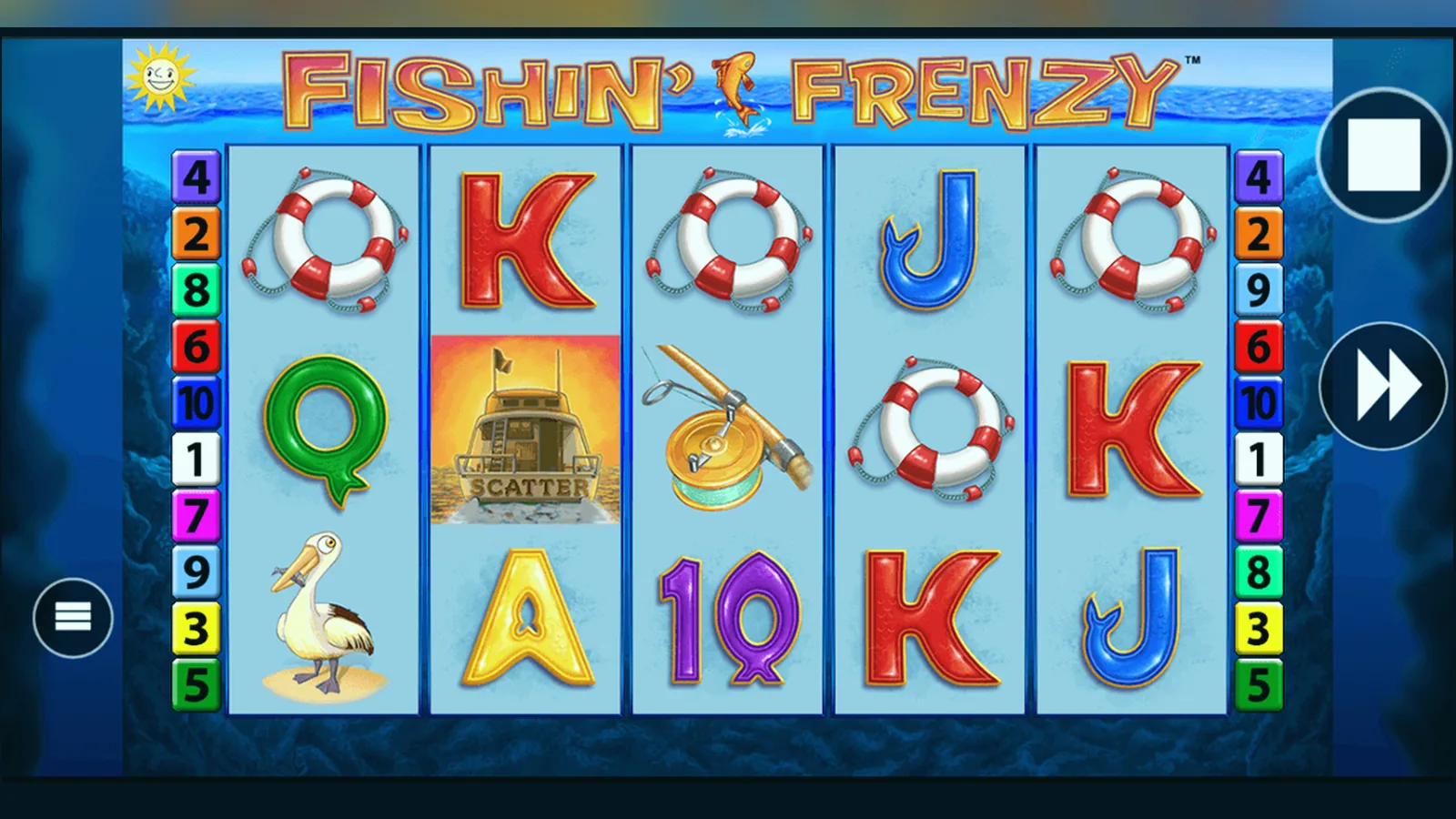
There isn't a standalone Fishin' Frenzy app you download separately. The game lives inside casino operator apps or runs in your mobile browser as a web app. Either way, you're playing the same slot—same RTP, same £5 stake cap (£2 if you're 18–24), same UKGC rules.
This page walks through every install route, what your phone needs, what happens in the first ten minutes and the first week, and how to spot fake clones that steal login details or payment data.
The app card: what you're actually installing
If you find Fishin' Frenzy in the App Store or Google Play, it'll be bundled inside a casino operator's app. Here's the sort of metadata you'll see, with plausible numbers for a mid-sized UK operator app:
The developer name must match the footer of the operator's website and the UKGC public register. If it doesn't, it's a clone. The age rating is always 18+. Any app marked 12+ or 16+ is either a demo-only build or a fake.
Four ways to install it, risk by risk
Each route has a different trade-off between convenience, storage, and security.
- Browser play (no install): Open the operator's site in Safari or Chrome, log in, tap the game tile. The slot loads in the browser. Zero storage, zero permissions, but you type the URL every time. Risk: low—bookmarking a phishing site is the only real danger.
- Add to home screen (web app): Same as above, but after loading the site once, tap Share > Add to Home Screen (iOS) or the three-dot menu > Add to Home Screen (Android). An icon appears on your home screen. The game still runs in the browser, but launching feels like an app. Storage: under 1 MB for the icon. Risk: low, same as browser play.
- Operator app from official store: Search the App Store or Google Play for the operator's name, check the developer matches the UKGC register, install. The app holds your login, shows promotions, and pre-loads the game library. Storage: 45–60 MB. Permissions: notifications, sometimes location (to confirm you're in the UK). Risk: medium—clones do appear in search results; always verify the developer field.
- APK sideload (Android only): Download an .apk file from the operator's site or a third party, allow installation from unknown sources in Settings > Security, tap the file. Risk: high. APKs bypass Google's malware scanning. Only download from the operator's own domain, and even then, the official Play Store route is safer. Unlicensed sites push fake APKs that harvest bank details.
What your phone needs to run it
Fishin' Frenzy isn't demanding, but older devices struggle with the animations—especially the free-spins sequence where fish jump across the screen.
- Android: version 7.0 or later, 2 GB RAM minimum, 100 MB free storage for the casino app or browser cache.
- iOS: version 13.0 or later (roughly iPhone 6s and up), 2 GB RAM, 100 MB free storage.
- Browser: Chrome 90+, Safari 14+, or Firefox 88+ with JavaScript enabled. Private browsing works, but some operators block it to comply with self-exclusion checks.
- Connection: 3G works for the base game; 4G or Wi-Fi recommended if you're playing the Megaways or Prize Lines variants, which load higher-resolution assets.
If the game stutters or freezes mid-spin, close background apps and restart. The slot's RNG runs server-side, so a freeze doesn't change the outcome—the result is already decided the moment you tap Spin.
The first ten minutes: logging in and finding the game
Install the app or open the site, create an account (email, password, date of birth), and upload your ID. The operator sends the documents to a third-party verification service—usually Onfido or Jumio—and you'll get an email within a day or two saying you're cleared to deposit.
Once verified, log in, tap Deposit, choose a debit card or PayPal (credit cards have been banned for gambling since 2020), and enter an amount. The first deposit triggers an affordability check if you go over £150 net in a month; the operator pulls credit-reference data to confirm you can afford the spend. If the check fails, they cap your deposits or ask for bank statements.
Navigate to the Slots section, type «Fishin' Frenzy» in the search bar or scroll the Blueprint Gaming catalogue. Tap the tile. The game loads in about five seconds on 4G. You'll see the 5×3 grid, the stake selector (min £0.10, max £5.00 or £2.00 depending on your age), and the paytable button. Demo mode—if offered—appears as a toggle at the top; not every operator shows it to unverified accounts.
The first hour: adjusting stake, reading volatility, testing autoplay
Start at £0.10 or £0.20 to get a feel for how often the fisherman lands. Fishin' Frenzy is medium-to-high volatility: long stretches without a bonus, then a free-spins round that can pay 50–100× if the fisherman collects high-value fish symbols. The base game rarely pays more than 10× your stake in a single spin.
Autoplay is available—10, 25, 50, or 100 spins—but you must set a loss limit and a single-win limit before it starts. UK rules require this. If you hit either limit, autoplay stops and you choose whether to continue manually. The game also pauses if you trigger free spins, so you can watch the fisherman sequence.
Check your balance after twenty or thirty spins. If you're down more than you planned to risk in the session, stop. Volatility means you can lose ten or fifteen bets in a row without a bonus. The RNG doesn't 'owe' you a win, and chasing losses is how sessions spiral.
The first week: withdrawals, KYC delays, and what's actually new in version updates
Win something and request a withdrawal. The first one takes the longest—24 to 72 hours—because the operator's compliance team checks your documents again, matches your payment method to your name, and scans for self-exclusion flags in the GAMSTOP register. Subsequent withdrawals clear faster: a few hours for e-wallets, same day to two working days for Faster Payments to your bank.
App updates arrive every few weeks. Most are backend fixes—«improved stability,» «minor bug fixes»—but occasionally Blueprint Gaming pushes a new variant (Megaways, Prize Lines) and the operator adds it to the library. The core Fishin' Frenzy game doesn't change: same RTP (96.12% on the standard version, 96.10% on Megaways), same max win (5,000× in the base game), same stake caps. When an update does add a feature—like the Prize Lines jackpot mechanic—it's marketed heavily, so you'll see it in the promotions tab.
What's genuinely new: real-time notifications when a bonus round starts, so you don't miss the free spins if you've switched apps; faster load times on 5G; and improved landscape mode for tablets. None of this changes the maths.
Spotting fakes: developer fields, permissions, and too-good offers
Fake Fishin' Frenzy apps exist, especially on Android. They mimic the logo and screenshots but steal login credentials or inject malware. Three red flags:
- Developer name doesn't match the UKGC register. If the app says «Blueprint Gaming Official» or «Fishin' Frenzy Ltd,» it's fake—Blueprint licenses the game to operators; they don't publish consumer apps.
- Permissions requests that make no sense: access to contacts, SMS, or call logs. A legitimate casino app asks for location (to confirm you're in the UK) and notifications. Anything beyond that is suspect.
- Promises of guaranteed wins, hacked RNG, or deposit bonuses that dwarf the market (£500 free, 200% match). Real operators offer £10–£50 welcome bonuses with 35–40× wagering. If it sounds impossible, it's phishing.
Cross-check every app: go to the operator's website (type the URL manually, don't click an ad), scroll to the footer, note the UKGC licence number, then search that number in the Gambling Commission's public register. If the app's developer field matches the register entry, it's legitimate. If it doesn't, delete it and report it to the store.
FAQ
Can I play Fishin' Frenzy offline after downloading the app?
No. The game's RNG runs on the operator's server, and every spin is validated in real time to comply with UKGC rules. You need a live internet connection—3G minimum, 4G or Wi-Fi recommended. The app caches graphics to speed up loading, but the maths happens server-side.
Why does the app ask for my location every time I open it?
UKGC regulations require operators to confirm you're physically in the UK before you can place a real-money bet. The app checks your location at the start of each session. If you're abroad or using a VPN, the game locks. This isn't the operator being difficult—it's a licensing condition. Switch off your VPN and allow location access.
I installed the app from Google Play, but it's asking for extra permissions after an update. Is that normal?
Sometimes, yes—especially if the operator adds features like biometric login or push notifications for bonuses. But if the update asks for SMS, contacts, or phone calls, stop and check the developer field again. Fake apps occasionally slip through store reviews, then push malicious updates. Cross-check the operator's UKGC licence number in the public register. If anything looks wrong, delete the app and reinstall from the store search, verifying the developer.
What happens if I'm 18–24 and the app enforces the £2 stake cap halfway through a session?
The cap applies from the moment you verify your age. If the app suddenly blocks stakes above £2.00, the operator has reclassified your account—possibly because you turned 25 and they haven't updated your record, or because the initial verification contained an error. Contact support with your ID; they'll correct it within a day. Until then, the £2.00 limit stays. The cap is a legal requirement under the UKGC's young-persons rules, so the operator can't override it manually.